






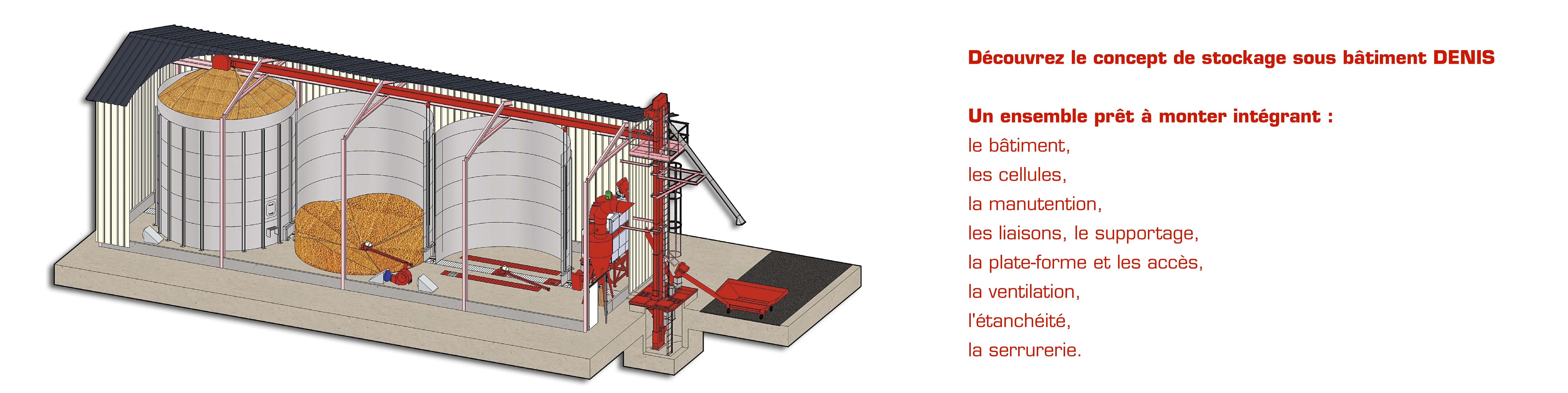




h1      { color: #900; font-weight: bold; font-family: Arial, Helvetica, Geneva, Swiss, SunSans-Regular; margin-bottom: 0.2em }

h2      { color: #900; font-weight: normal; margin-top: 0px; margin-bottom: 0px }

textarea, input  { }

select, option  { }

td   { color: #000; font-family: Arial, Helvetica, Geneva, Swiss, SunSans-Regular }

td.MainTableHeader     { background-color: white; padding: 3px; border-right: 1px solid #900; border-bottom: 1px solid #900; border-left: 1px solid #900 }

td.TableHeader    { color: #fff; background-color: #fcc; border-bottom: 1px solid #900 }

td.TableRow   { color: #900; background-color: #ffc2c2 }

td.TableErrorRow {
	color: #f60;
	background-color: #fc6
	}

td.TableFooter {
	color: #fff;
	background-color: #999
	}

td.MainColumnHeading     { color: #fff; background-color: #ffc2c2; border-top: 1px #900; border-right: 1px solid #900; border-bottom: 1px solid #900 }

td.ColumnHeading    { color: #900; background-color: #ffc2c2; border-right: 1px solid #900; border-bottom: 1px solid #900 }

td.ColumnItem   { color: #900; font-weight: bold; background-color: #fff; border-right: 1px solid #ffc4c4; border-bottom: 1px solid #ffc4c4 }
td.ColumnItemAlt    { color: #900; background-color: #eee; border-right: 1px solid #900; border-bottom: 1px solid #900 }

input.MainButton   { color: #fff; font-weight: bold; background-color: #c00; margin: 0px; border-style: outset; border-width: 1px; border-color: #ccc #900 #900 #ccc; cursor: hand  }

input.SecondaryButton {
	color: #666;
	font-weight: bold;
	background-color: #ccc;
	cursor: hand;
	border-top: 1px outset #fff;
	border-left: 1px outset #fff;
	border-right: 1px outset #999;
	border-bottom: 1px outset #999;
	margin: 0px
	}

a    { color: #c00; text-decoration: none }

a:visited    { color: #c00 }

a:hover   { color: #0000FF; font-weight: bold}
/*
** Use these when GoLive's layout view correctly picks up :link styles.
** This version hides links that don't have an href by giving them the
** same color as the TableHeader background.  We really need two
** link styles to make this idea work: one for TableHeader and one
** for MainTableHeader.

a.HeadingArea-Link  {
	color: #bbdea9
	}

a.HeadingArea-Link:link  {
	color: #ffc
	}
*/
a.HeadingArea-Link     { color: #ccc; font-size: 11px ; font-weight: bolder}
.HeadingArea-Link { color: #ffc4c4 }
a.HeadingArea-Link:visited    { color: #ccc }

a.HeadingArea-Link:hover  { color: #0000FF; font-weight: bold}

